Adobe’s creative agent is expanding its presence across Adobe Firefly and Creative Cloud apps, with an AI assistant that orchestrates multi-step workflows. Firefly is expanding its agentic capabilities with new creative skills including brand kit creation, short product video creation, quick cut assembly, and storyboard-to-video generation. Adobe is also previewing an upgraded Firefly creative AI studio experience that’s currently in private beta. It connects generation and editing in one seamless workflow with the introduction of Elements (reusable characters, locations and objects) and Projects (organized assets and creative context) to help maintain consistency with every iteration. And, Adobe announced the availability of AI Assistants, powered by its creative agent, across Creative Cloud apps as public betas.
When Adobe introduced this past spring its creative agentic AI, an advanced AI system that would integrate into its Firefly and Creative Cloud applications for leveraging AI, it marked the promise of an all-new way of creating content. Adobe had been building up to this moment for some time, culminating in the use of a single, unified, compositional, conversational AI interface whereby creators describe what they want to achieve, as Firefly AI Assistant, operating behind the scenes, orchestrates and executes complex, multi-step workflows across Creative Cloud to get it done.
The sun is now steadily rising higher on this new dawn. First, Adobe has expanded its agentic capabilities in Firefly along with new tools that tie together every stage of the creative process, from ideation to production. Second, the company introduced its creative agent across the Creative Cloud applications (Photoshop, Premiere, Illustrator, and others), enabling creators to automate many necessary but repetitive tasks by using their own words to describe what they want done, all the while maintaining creative control over the editable results.
“Every creative now has an agent capable of helping them executive across every app and platform where they work, so they can set the vision, apply their taste, and make the calls that only they can,” said David Wadhwani, president of Creativity & Productivity business at Adobe.
The AI Assistant in Firefly recently launched in public beta, bringing professional-grade tools from across Creative Cloud apps into a single conversational interface in Firefly. The recent expansion now extends AI Assistant in Firefly, powered by Adobe’s creative agent, with new creative capabilities and tools for creators, along with customization upgrades that can better tailor the work to a creator’s preferences. These new capabilities, says Adobe, help make Firefly AI Assistant more adaptable, personalized, and context-aware.
These updates include:
- Brand kit creation, whereby users describe their style, brand name, and color palette, and AI Assistant in Firefly generates and saves a complete logo, brand identity, and color palette, all ready to apply across every piece of content the user creates.
- Short product video creation to turn product photos into polished, cinematic short-form videos with premium lighting, motion, audio, and brand styling, ready to publish.
- Create a Quick Cut automatically assembles video clips into a polished first-cut edited around dialog, narration, or visual content.
- Create storyboards and generate video from storyboards for turning an idea into a visual scene sequence, then using those storyboard frames to generate video.
Adobe says AI Assistant in Firefly also delivers new customization upgrades that better understand a creator’s intent, surface any asset they describe in their own words, and learn from the person’s preferences over time. Creators can now invite collaborators to review and provide feedback on work directly inside AI Assistant in Firefly.
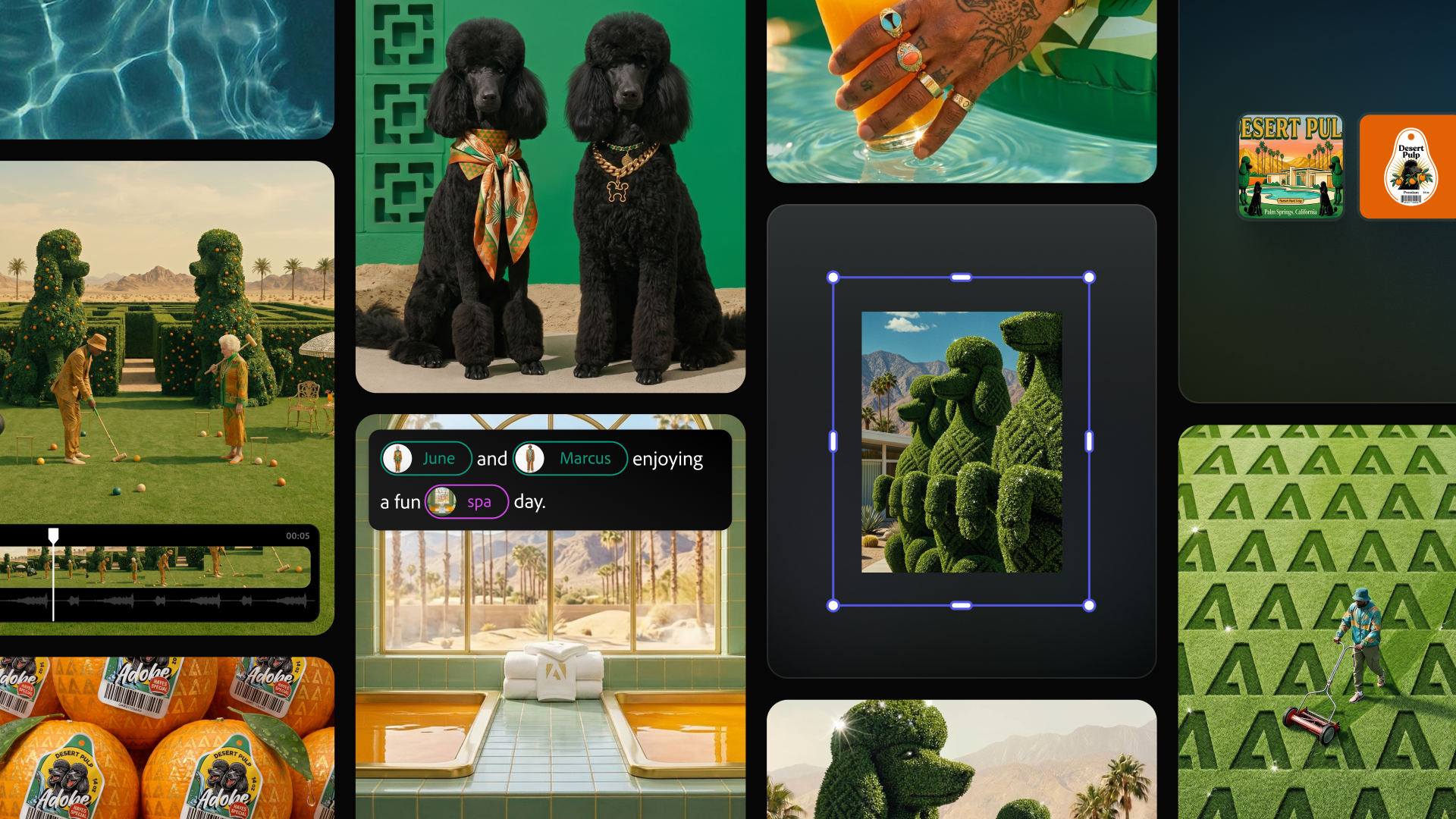
Additionally, Adobe is previewing an upgraded, reimagined Firefly creative AI studio experience that connects generation and editing in one place, further bolstering its positioning as an all-in-one creative AI studio. With expanded agentic capabilities, this upgraded Firefly creative AI studio (now in private beta) is designed to give creators persistent context, reusable assets, and organized workflows so they can maintain continuity, style, and creative vision across every iteration and format, and at every stage of production, according to Adobe. This is done through a pair of new features: Elements (for generating reusable characters, locations, and objects) and Projects (for organizing assets and creative context).
The latest capabilities for AI Assistant in Firefly (beta) are available now in the Firefly Web app. The upgraded Firefly creative AI studio experience—including the unified generation and editing space, as well as Elements and Projects features—is available in private beta.
Pushing into the (Creative) Cloud
The second part of the announcement brings AI Assistants, powered by Adobe’s creative agent, to the company’s Creative Cloud apps (in public betas), starting with Premiere, Photoshop, Illustrator, InDesign, and Frame.io. The creative agent powers the AI Assistant in each application, orchestrating multi-step workflows, with the user deciding what to hand off to the assistant.
This is how the AI Assistant in each Creative Cloud app operates:
- Premiere: The tedious setup work is done for the user: sorting assets into bins, batch-renaming clips, identifying interview questions, adding markers, or even assembling a working starting point. If it can be done in the Project panel or Timeline, AI Assistant can help.
- Photoshop: Describe the desired outcome, such as swapping out a background, resizing assets for every platform, or organizing layers, and the assistant executes across the entire composite, applying intelligent adjustments that can continue to be adjusted further.
- Illustrator: Ask the AI Assistant to support multi-step production jobs such as generating 50 versioned files from a spreadsheet, reorganizing layers across a document ,or running a pre-flight check to flag color-mode errors or missing fonts before anything goes to print.
- InDesign: Drop in a new brand PDF or open an existing template, then let the assistant apply updates across every layout including copy, styling, and print-readiness checks.
- Frame.io: Provide creative direction, and the AI Assistant helps organize shoot assets, surface feedback across revisions, and generate B-roll, all within the project.
AI Assistant is available now in public beta across Premiere, Photoshop, Illustrator, Frame.io, and InDesign. Additionally, AI Assistant is available in private beta in After Effects. Meanwhile, Adobe says it is working to extend its agentic capabilities to other Creative Cloud apps for more photography, video, and motion design workflows.
What’s more, Adobe is also expanding the reach of its creative tools to third-party platforms where scores of people already work, including ChatGPT, Claude, Microsoft 365 Copilot, Google Gemini ,and Slack.
These are just early times still in Adobe’s plans for its , with the promise of more to come.
WHAT DO YOU THINK? LIKE THIS STORY? TELL YOUR FRIENDS, TELL US.